

Table of Contents
If you write with chronic illness, chronic pain, a disability, or the kind of fatigue that makes a full day of anything impossible, the standard writing advice ("write every day," "just sit down and do it") reads like it was written for someone else. It was. This post is for writers whose energy is the limiting resource, and it's about finishing anyway.
TL;DR: A novel written with limited energy is built from short sessions, and it depends on removing everything that costs energy without producing words: rereading to remember, typing when speaking is easier, fighting the interface. Writers who manage it use an external memory for the story, dictation for the drafting, and a tool that picks up where they left off so a ten-minute session produces something. Sudowrite has the pieces: Smart Dictation on mobile, a Story Bible that remembers the book for you, Write that continues from your last sentence, and accessibility settings including an OpenDyslexic font, dark and high-contrast themes, and screen reader support.
I've got limited energy and a full draft feels physically out of reach. How do people keep a book going?
They stop measuring in days and start measuring in sessions, and they make each session cheap.
The full draft feels out of reach because you're picturing it as a series of writing days you don't have. Writers with limited energy who finish books tend not to have more good days. They have a system that turns bad-day fragments into a manuscript. The system has four parts.
- Shrink the session until it's always possible. Ten minutes. Five. One paragraph. The session has to be small enough that you can do it on a day when you can't do anything else, because those are most of the days. A book at 300 words a session is a book in a year.
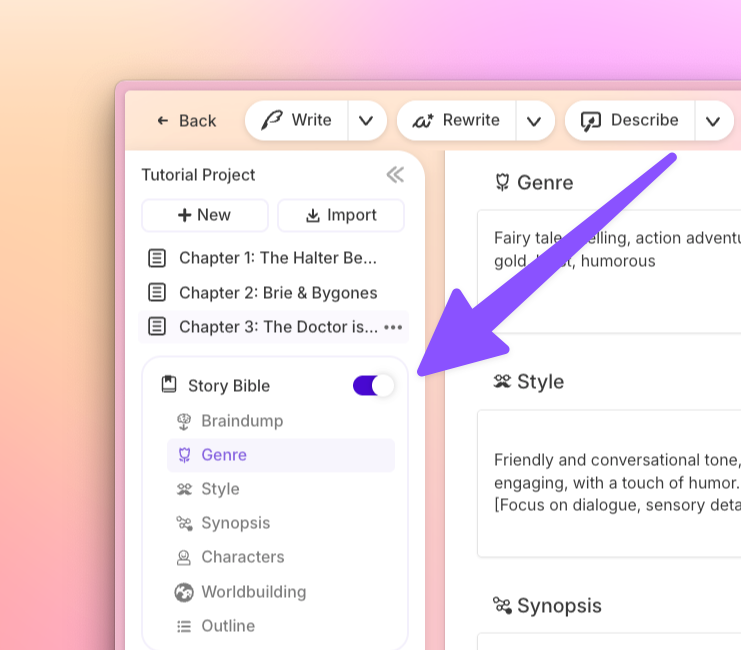
- Stop paying the reread tax. One of the biggest energy drains in long-form writing is remembering where you are. Rereading the last chapter to get back into the book can cost more than the writing itself, and on a brain-fog day it can cost the whole session. The fix is an external memory: a story bible with your characters, your world, and a one-line summary of every chapter, so orientation takes a minute instead of twenty. Sudowrite's Story Bible is built for this, and Chat can see it along with the chapter you have open, so "what did I establish about the sister" is a question you type, not a chapter you reread.
- Speak instead of type when typing is the barrier. Dictation removes hands, posture, and screen time from the equation, and for many writers it's faster. Sudowrite's mobile app has Smart Dictation, which turns what you say into formatted prose with punctuation and dialogue formatting and recognizes your characters' names, so a dictated scene arrives closer to finished than raw transcription would. Dictations are saved to a history you can send to a project later, which means you can capture on a bad day from bed and place it on a better one.
- Let the tool carry the blank space. On a low-energy day, the hardest part is the empty space after your last sentence. Sudowrite's Write reads back up to 20,000 words of your draft, plus your Story Bible, then continues from your cursor in your voice. You edit or cut what comes back, which is a lower-energy task than generating from nothing. Guided mode lets you say what should happen next in a sentence, which is sometimes all a session has in it.
Making the interface cost less
Energy goes to fighting screens as well as to writing. A few settings help, and it's worth spending one good-day session setting them up.
Sudowrite's settings include accessibility options. There's an OpenDyslexic font, which some writers with dyslexia find reduces common reading errors. Themes provide dark mode (Charcoal) and a range of color palettes, so you can pick a contrast that works for your vision or for migraine days. Sudowrite has also improved its screen reader support. And community members have used the Plugins system, which lets anyone build their own AI feature, to make tools such as a Disability sensitivity reader.
Because the mobile app and the web app share the same projects and credits, you can move between phone in bed and laptop at a desk without exporting anything.
Structuring the book for fragments
Some structures suit fragmentary writing better than others.
- Outline once, on a good day. Sudowrite's Canvas can generate a full outline from a one-sentence idea and offers four templates. With the shape decided, each session is "write this scene," not "figure out what happens."
- Write in scenes, not chapters. A scene is a session-sized unit. Story Bible's Scenes tool makes each chapter a numbered list of scenes, and Draft can generate a first pass of a chapter from those scenes when your energy is at the "I can review but not write" level.
- Keep a done list rather than a to-do list. On bad weeks the to-do list is a wall. The done list is evidence that the book is growing.
What this doesn't fix
It doesn't fix the days you can't write at all, and no tool should pretend to. It doesn't make the book faster than your body allows. What it does is make sure that the sessions you can manage add up to something, and that you never lose a day to reorienting, retyping, or wrestling a screen.
FAQ
Can I write a whole novel by dictation?
Yes. Many writers do, with or without disability. Smart Dictation in the Sudowrite mobile app formats punctuation and dialogue as you go and stores dictations in a history you can place into a project later, which makes a dictation-first workflow practical.
Does Sudowrite have accessibility features?
Yes. In Settings you'll find an OpenDyslexic font option, themes including dark mode and a range of color palettes, and improved screen reader support. Community-built plugins include a Disability sensitivity reader. The Sudowrite Discord has Ambassadors who can share how other writers with disabilities have set things up.
What's the minimum session that still moves a book?
One decision or one paragraph. If you decide what the next scene is about and write two sentences of it, the next session starts warm.
Will using AI mean the book isn't mine?
No. You decide what happens and what stays. Sudowrite doesn't use your writing to train models and claims no rights over anything you write or generate. A dictated, AI-assisted, fragment-built novel is still your novel.