

Table of Contents
Most fight scenes are boring.
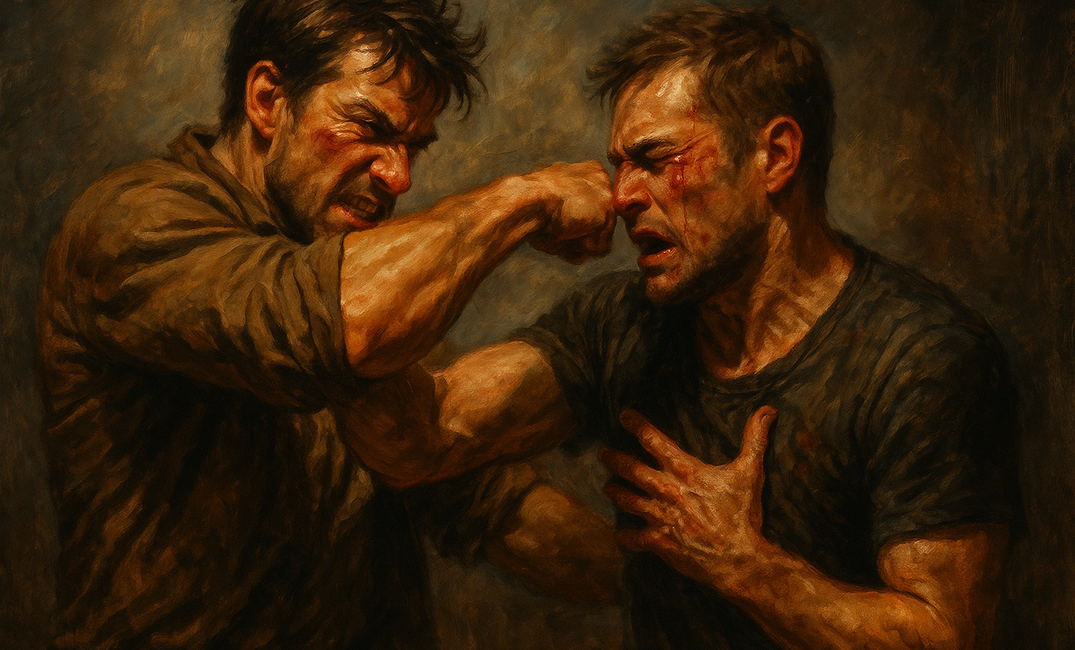
Not because they lack movement. You've got the swords clashing, the gunfire cracking, the fists connecting in all the right places. The choreography is fine. And that's exactly the problem. Because a fight scene isn't choreography. It's consequence. It's not about who swings first. It's about what breaks, inside the characters and between them, by the time the dust settles.
Writers using AI report a 57% average productivity boost (Gotham Ghostwriters 2025). But speed means nothing if your action reads like a police report. Sudowrite gives you AI that actually understands fight craft, with Deepseek-R1 for action prose, Tone Shift for pacing control, and Write Guided for choreography you can steer. Here's how to write fight scenes that hit hard, read clean, and never lose your reader in the chaos.
In This Guide
- What AI for writing fight scenes actually means
- Why it matters
- How it works in Sudowrite
- Getting started step-by-step
- Best practices
- Common mistakes
- FAQ
- Key takeaways
TL;DR: Fight scenes fail when they prioritize flashy choreography over emotional stakes and readable pacing. AI trained on fiction can fix that. Sudowrite's Deepseek-R1 model (recommended for action and adventure writing) combined with Tone Shift set to Fast-Paced and Write Guided generates fight prose that's gut-level, clear, and driven by consequence. 92% of Sudowrite users report completing manuscripts faster.
What AI for Writing Fight Scenes Actually Means
AI for writing fight scenes is the use of fiction-trained AI models to draft, revise, and pace action sequences so they read with clarity, momentum, and emotional impact rather than the blow-by-blow confusion that plagues most first drafts. Sudowrite is the leading tool built specifically for this, with a proprietary Muse model and access to experimental models like Deepseek-R1 that excel at action prose.
Generic AI tools treat a sword fight the same way they treat a product description. The output reads competent but bloodless. Fiction-specific AI has changed this. Models trained on published novels understand that a fight scene needs rhythm shifts, sensory interruption, and emotional stakes woven between the punches.
Sudowrite implements this through Write Guided, where you type instructions like "Kira disarms him but takes a wound to her side" and the AI generates prose around your choreography. Tone Shift set to Fast-Paced restructures sentence length and rhythm for urgency. Describe generates the physical sensory details (the crack of bone, the copper taste of blood) that make a reader flinch. And Deepseek-R1, available as an experimental model, is the recommended choice for adventure and action genres.
Why AI for Writing Fight Scenes Matters
Your Reader Skims the Best Part of Your Book
You spent two hours choreographing the climactic duel. Every parry, every feint, perfectly sequenced. Then your beta reader says: "I kind of skimmed the fight." Brutal. But common. The problem isn't your choreography. It's that blow-by-blow action without emotional anchoring causes readers to glaze over. Their eyes slide down the page looking for dialogue or a paragraph break that signals the fight is over.
Write Guided fixes this by letting you control what happens while the AI handles how it reads. You dictate the beats. The AI weaves in sensory grounding, internal reactions, and pacing shifts that keep eyes locked on the page.
The Numbers Back It Up
According to Gotham Ghostwriters (2025), 60% of fiction authors who use AI say it improves the quality of their writing, and 87% say it boosts their productivity. That gap widens for action scenes, where generic tools default to cliche ("a flurry of blows," "moved with lightning speed," "dodged at the last second"). Deepseek-R1 produces action prose that avoids those dead phrases because it's accessed through Sudowrite's fiction-optimized pipeline.
"Sudowrite understands story. It doesn't just autocomplete, it thinks about narrative. But I'm still the one making every decision about what stays and what goes."
. Francisco, Author
The Revision Trap
You've finished the fight. Now you need to fix it. According to the Written Word Media 2025 Indie Author Survey, indie authors increasingly rely on AI tools for editing support. Fight scenes eat revision hours because they require simultaneous attention to spatial logic, pacing rhythm, and emotional arc. Sudowrite's revision tools with "More Intense" mode tighten slack passages, while "Show Not Tell" converts your stage directions into lived experience. That's two revision passes collapsed into one click.
How AI for Writing Fight Scenes Works in Sudowrite
Three features form the fight-scene toolkit. Each handles a different layer of the problem.
Steer the Choreography with Write Guided
Write Guided reads up to 1,000 words around your cursor and generates three continuation options based on your instruction. Type something like "Maren breaks his guard with an elbow strike, but he pulls a knife." The AI writes the prose. You choose from the variations or edit. You control the moves. The AI handles the language.
Set the Pulse with Tone Shift and Deepseek-R1
Tone Shift set to Fast-Paced restructures your prose for urgency. Shorter sentences. Fragments. Rhythmic breaks. Select Deepseek-R1 from the experimental models menu for the strongest action and adventure output. The combination produces prose that reads like the characters' heartbeats: fast, uneven, dangerous.
Land the Impact with Describe
After the choreography is drafted, highlight key moments and use Describe. Select Touch for the jarring physical sensations, Sound for the environmental chaos, Metaphor for the images that stay with a reader. The feature reads about 200 words of surrounding context, so the descriptions land in the right emotional register.
Before and After: A Fight Scene Clarified
Before (confused, blow-by-blow):
He swung his sword at her. She dodged and swung back. He blocked it. She kicked him. He stumbled backward. She swung again. He ducked and rolled to the side. She followed him. They fought for a while longer.
After (Write Guided + Tone Shift Fast-Paced + Describe):
His blade came high. She slipped left, felt the wind of it pass her ear, and drove her own steel toward his ribs. Metal screamed against metal. She planted a boot in his sternum before he could reset. He staggered, boots scraping gravel, and something shifted behind his eyes. Not fear. Calculation. She didn't wait to find out what he'd calculated. She closed the distance.
The choreography is the same. What changed is how it feels to read.
Getting Started with Sudowrite: Step-by-Step
Step 1: Set Up Your Story Bible for Combat
Add character cards with physical details, combat training, injuries, and weapons. Note who's faster, who's stronger, who fights dirty. The Story Bible feeds this into every Write and Guided generation, so the AI won't have your limping thief outmuscling a trained knight.
Pro tip: Add a worldbuilding entry for your combat system (magic rules, weapon types, or martial arts styles) so the AI stays consistent.
Step 2: Select Deepseek-R1 and Tone Shift
Go to prose modes and select Deepseek-R1 from the experimental models. Then choose Tone Shift and set it to Fast-Paced. The creativity slider at middle or slightly above produces the best balance of controlled chaos.
Step 3: Draft the Fight with Write Guided
Write a few sentences to establish the moment, then use Write Guided. Type your choreography instruction: who attacks, who defends, what goes wrong. Review the three variations, pick the strongest, and edit it into your voice. Repeat beat by beat through the fight.
Rewrite"> Step 4: Polish Impact Moments with Describe and Rewrite
Highlight your two or three biggest impact moments. Run Describe for sensory layers (the sound of a bone breaking, the taste of dust, the way light catches a blade). Then select any passages that feel flat and hit Rewrite with "More Intense." The fight should leave your reader slightly breathless.
Best Practices
Start with stakes, not swords. Before you draft a single punch, write one sentence about what your character loses if they fail this fight. Paste it into Write Guided as context. Every AI generation that follows will carry that emotional weight, because Sudowrite reads your preceding text as context, up to 20,000 words of it.
Let the fight breathe. The most common mistake in action writing is relentless blow-by-blow with no pause. After every three to four exchanges, use Write Guided to insert a beat: a thought, a sensory flash, a moment of recognition. Readers need those micro-pauses to process what just happened.
Vary your sentence architecture deliberately. Short fragments for impact. Longer sentences for the held-breath moments between strikes. Tone Shift does this automatically, but review the output and push the variation further during editing. A fight scene's rhythm should feel like an irregular heartbeat.
Use Describe sparingly and at peak moments. Don't describe every hit. Pick the turning point, the moment the fight shifts, and flood it with sensory detail. One richly rendered moment lands harder than ten that are equally described.
Common Mistakes
Writing a Blow-by-Blow Transcript
Most writers default to sequential choreography because that's how fights happen in real time. But fiction isn't real time. Readers don't need every parry catalogued. They need to feel the three or four moments that matter. Cut the connecting tissue. Jump between the beats that change something. Use Tone Shift to inject rhythm breaks and fragment variety.
Forgetting the Body
Your character just got punched in the face and they're fine? No ringing ears, no blood in their mouth, no vision going white? Fights have physical consequences, and ignoring them breaks trust with your reader. Use Describe (Touch, Sight) to ground injuries in sensation rather than just narrating "she was hurt."
Letting the Fight Float in Space
Characters need to exist somewhere: on rooftops, in mud, between overturned tables. When you strip the environment from a fight, readers lose their spatial grip and start skimming. Write your setting details before the first punch so the AI has them in context. Sudowrite reads your preceding text, so environment details carry forward.
FAQ
Can AI actually write good fight scenes, or does it produce generic action?
Generic AI tools produce generic action. Fiction-trained AI doesn't. Sudowrite's Deepseek-R1 model, accessed through the experimental models menu, generates action prose with varied rhythm, sensory grounding, and emotional beats. The difference comes from the fiction-optimized pipeline and your ability to steer choreography through Write Guided.
What makes Deepseek-R1 better for fight scenes than other AI models?
Deepseek-R1 handles sustained action sequences with stronger sentence variation and fewer cliche phrases. Paired with Tone Shift set to Fast-Paced, it produces prose that reads kinetically rather than mechanically.
How do I keep fight scenes consistent with my characters' abilities?
Store combat-relevant character details in your Story Bible. Sudowrite's Write feature reads Story Bible data including character cards during every generation. If your character has a bad knee or only knows street fighting, the AI factors that in.
How long should a fight scene be?
Most effective fight scenes run 500 to 1,500 words, depending on their narrative importance. Climactic confrontations can run longer. The key metric isn't word count. It's whether every paragraph changes something. If you can delete a paragraph and lose nothing, that paragraph shouldn't exist.
Does Sudowrite work for different types of combat: magic systems, gunfights, hand-to-hand?
Yes, across all combat types. Add your magic system rules or weapon details to Worldbuilding in the Story Bible, and the AI respects those constraints. Write Guided lets you specify any type of action in your instructions, from spell duels to naval battles to bar brawls.
Can I control what happens in the fight, or does the AI take over?
You control every beat. Write Guided is specifically built for this. You type what happens next ("she disarms him but he pulls a hidden blade"), and the AI writes the prose around your direction. You're the choreographer. The AI is the cinematographer.
How do I fix a fight scene I've already written?
Highlight the passage and use Rewrite with "More Intense" or "Show Not Tell" mode. Rewrite handles up to 6,000 words of selected text. For targeted fixes, highlight just the flat section and run Describe for sensory detail at key impact moments.
Key Takeaways
Fight scenes fail or succeed at the sentence level, in the rhythm, the sensory grounding, and the emotional stakes between the blows. AI built for fiction gives you control over all three.
- Deepseek-R1 with Tone Shift (Fast-Paced) produces action prose with kinetic rhythm and varied sentence structure, no more robotic blow-by-blow
- Write Guided lets you choreograph every beat while the AI handles the prose execution
- Describe and Rewrite add physical impact and tighten slack passages without losing your voice
- According to Gotham Ghostwriters (2025), 60% of fiction authors who use AI say it improves the quality of their writing, and 87% say it boosts their productivity. Not a to-do list of who hit whom. Try Sudowrite free