

Table of Contents
By the Sudowrite Team | Published April 2026
You know the scene. You've been building toward it for six chapters. The tension is wound so tight your characters can barely breathe in the same room. And then you sit down to write it, and the words come out reading like a biology textbook crossed with a soap opera script. Or worse, you paste your setup into ChatGPT and get back something so sanitized it could air on network television at noon.
Writing steamy scenes is one of the hardest things in fiction. According to the Gotham Ghostwriters 2025 Survey60% of fiction authors using AI say it improves their writing quality. The gap between "generic chatbot output" and "actual good intimate fiction" is enormous. Sudowrite's fiction-trained Muse model closes that gap with tools built for exactly this kind of scene. You'll walk away from this guide knowing how to go from blank page to polished, sensory-rich smut in one sitting.
In This Guide
- What Is AI for Steamy Scenes?
- Why AI for Steamy Scenes Matters
- How AI for Steamy Scenes Works in Sudowrite
- Getting Started: Setup to Finished Scene
- Best Practices
- Common Mistakes
- FAQ
- Key Takeaways
TL.DR: Most AI tools either refuse your mature content mid-scene or produce mechanical, rushed prose that kills the mood. Sudowrite's Muse model is fiction-trained and won't block you, while Story Bible keeps character voices consistent and Write Guided lets you steer scene direction beat by beat. According to Sudowrite internal data (2025), the majority of users report completing manuscripts significantly faster.
What Is AI for Steamy Scenes?
AI for steamy scenes refers to AI writing tools specifically designed to help fiction authors draft, develop, and polish intimate and romantic scenes while maintaining character voice, emotional depth, and sensory richness. Unlike general-purpose chatbots that either refuse mature content or produce flat, mechanical prose, fiction-specific AI understands pacing, tension, and the craft elements that make these scenes work within a larger story.
The old approach was grinding through intimate scenes manually, often during writer's block that could stall a chapter for days. General AI tools made things worse. They'd either fade to black on you mid-scene or strip out the emotional texture that makes these moments matter to readers.
Sudowrite approaches this differently. Muse, its proprietary fiction-trained model, generates prose across the full spectrum of romance and intimacy without refusing your content. The Story Bible stores character traits, dialogue styles, and relationship dynamics so the AI writes your characters, not generic stand-ins. Write Guided reads the scene context and lets you direct what happens next, while Tone Shift (Sensual) adjusts the prose style to match the heat level you need.
Why AI for Steamy Scenes Matters
The Writer's Block Problem Is Worse Here Than Anywhere
You can push through a mediocre action scene. You can outline your way past a saggy middle. But steamy scenes demand vulnerability on the page, and that makes the blank-page paralysis ten times worse. According to the Gotham Ghostwriters 2025 Survey42% of fiction authors use AI at least sometimes, and 87% say it boosts productivity by an average of 57%.
For intimate scenes specifically, the block often isn't about not knowing what happens. You know exactly what happens. The problem is finding language that's honest without being clinical, heated without being cartoonish. Sudowrite's Write Guided mode lets you describe what should happen next in plain language, then generates prose that matches your story's tone. You stay the director. Muse handles the vocabulary.
Speed Without Sacrificing the Craft
Writers using AI report a 57% average productivity boost (Gotham Ghostwriters 2025). For romance and adult fiction authors publishing multiple books a year, that speed matters. But fast and bad is worse than slow and good. Muse is trained on storytelling, not marketing copy. The difference shows in every paragraph.
Generic AI Tools Don't Respect Your Genre
You've been there. You spend twenty minutes crafting the perfect prompt. The AI either refuses to continue or delivers something that reads like it was written by someone who's never actually read a romance novel. Flat dialogue. Zero body language. Sensory details limited to what characters can see and nothing else. Sudowrite's Describe feature generates descriptions across all five senses plus metaphors, pulling from the scene context you've already written. The prose reads like fiction because the model was trained on fiction.
How AI for Steamy Scenes Works in Sudowrite
The workflow moves through three phases: setup, drafting, and polish. Each phase uses different Sudowrite features, and Muse powers all of them.
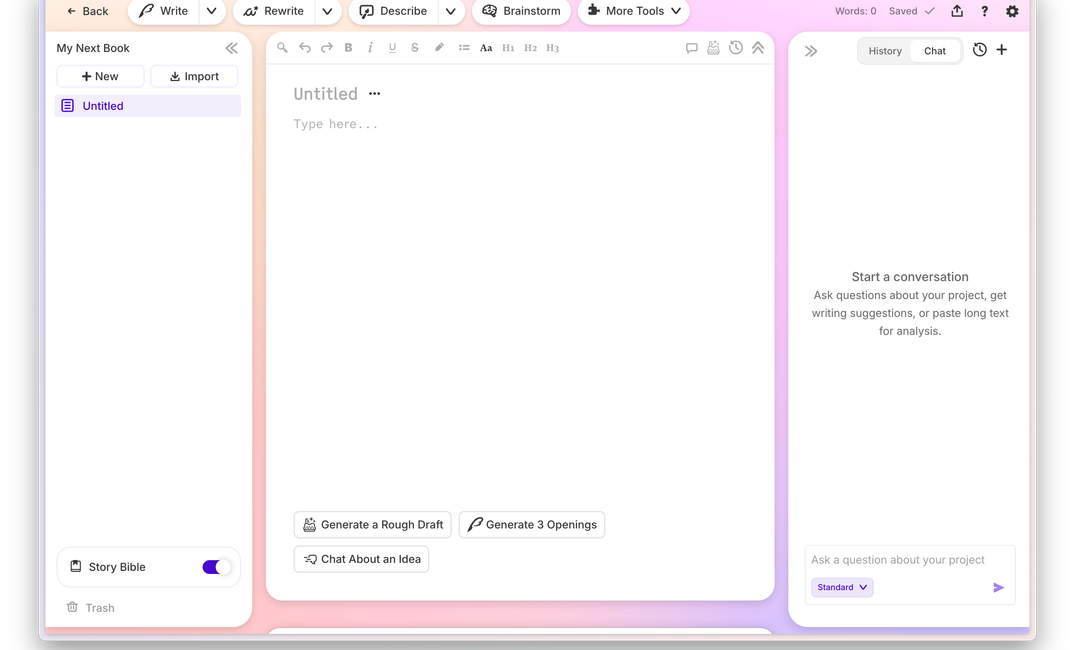
Sudowrite's Muse model is trained for fiction and doesn't filter adult scenes.
Character and Scene Foundation
Before you write a single word of the scene, build the foundation in Story Bible. Create character cards with physical descriptions, personality traits, dialogue style, and relationship dynamics. Set your genre to something specific, like "slow-burn paranormal romance" or "contemporary erotica with literary sensibility." Set POV and tense. All of this feeds into every word Muse generates later. The more specific your Story Bible entries, the more your characters sound like themselves during intimate moments.
Drafting with Direction
Write the opening beats of your scene manually, at least a paragraph or two establishing the emotional temperature. Then switch to Write Guided. Type a plain-language instruction like "they finally give in to the tension, starting slow, building intensity." Muse reads your preceding text, your Story Bible data, and your guidance, then generates prose that follows your direction. Use Tone Shift set to Sensual to adjust the prose style. Push the Creativity Dial higher for bolder, more surprising language. Lower it for tighter control.
Sensory Polish
Once the draft exists, highlight passages that feel thin. Run Describe to generate touch, taste, smell, sound, and sight details specific to your scene. Use Rewrite with the "More Intense" or "Show Not Tell" modes on sections that tell when they should show. Expand can add texture to rushed moments without padding. Each tool reads your scene context, so the additions feel organic, not bolted on.
Getting Started: Setup to Finished Scene
One scene, start to finish.
Need a premise to start from? The free adult writing prompt generator will hand you one to react to.
Step 1: Build Your Characters in Story Bible
Open your Story Bible and create cards for both characters in the scene. Don't just list hair color and height. Include how they speak under pressure. Their nervous habits. What they refuse to say out loud. If Elena deflects with sarcasm when she's scared, write that down. If Marcus goes quiet instead of loud when emotions run high, note it. Add their relationship history in the character notes.
In the Style section of Story Bible, add a note like "intimate scenes should prioritize emotional interiority and physical sensation over explicit choreography." Muse uses this as a guardrail.
Step 2: Set the Scene and Start Writing
Write 200-400 words yourself. Set the physical space. Establish where these characters are emotionally right nownot just physically. The best steamy scenes start with tension that has nothing to do with sex. An argument that ran out of words. A silence that went on too long. Let your opening create the pressure, then leave a sentence unfinished. Muse continues more naturally from incomplete thoughts.
Step 3: Draft with Write Guided and Tone Shift
Click Write, select Guided mode. Type what should happen in the next beat. Keep instructions character-driven: "Elena breaks first, closing the distance, but Marcus hesitates because of what happened in chapter eight." Select Tone Shift: Sensual. Push the Creativity Dial to 60-70% for a balance of surprise and control. Generate 3-4 cards and pick the one closest to your vision. Edit it, write another few lines, repeat. You're building the scene in layers, steering every beat.
Generate multiple cards at each decision point. Sometimes card three nails a line of dialogue that card one missed entirely.
Step 4: Polish with Describe and Rewrite
Read your draft straight through. Mark passages that feel rushed or flat. Highlight a key moment and run Describe for touch and sound. Intimate scenes live and die on non-visual senses, and Describe generates options for all five plus metaphors.
For paragraphs that tell instead of show, select them and hit Rewrite with "Show Not Tell" mode. For moments that need more emotional weight, use "More Inner Conflict." According to the Written Word Media 2025 Indie Author Survey, indie authors using AI tools report significant time savings on revision. You'll feel that here.
Best Practices
Start Hot, Then Let the AI Match Your Temperature
Write your opening at the emotional intensity you want. Muse mirrors what it reads. If your first 300 words are emotionally guarded, the AI will stay guarded. If you write the opening with raw honesty and physical awareness, the generated prose follows suit. Think of your opening as a tuning fork. Set the frequency.
Use Character Cards as Emotional Anchors
A steamy scene without character specificity is just mechanics. The difference between generic AI output and prose that feels alive comes down to what's in your character cards. Dialogue style matters most here. How someone speaks during vulnerable moments reveals more about them than any physical description.
Layer Senses with Describe After Drafting, Not During
Don't stop mid-draft to run Describe on every paragraph. Draft the full scene first with Write Guided, then go back and layer in sensory detail. Describe works best when it has surrounding context. A touch description generated after the scene exists reads differently than one generated in isolation.
Common Mistakes
Skipping the Story Bible Setup
You're in a hurry. You skip character cards and jump straight to drafting. Now Muse generates two characters who sound identical, with no relationship history informing their choices. The scene reads like two mannequins in a wind tunnel. Spend fifteen minutes on Story Bible setup. It saves hours of revision.
Leaving the Creativity Dial at Default
The default Creativity setting plays it safe. For steamy scenes, safe is boring. Push the dial to 60-70% for language that surprises you. You can always dial back a phrase that goes too far, but you can't inject spontaneity into prose that was generated to be predictable.
Treating AI Output as Final Draft
Muse generates strong first-draft prose, but intimate scenes need your fingerprints on every line. The best workflow treats AI output as high-quality clay. Reshape it. Cut the lines that sound too polished. Keep the ones that feel raw. Sudowrite's internal data shows users save an average of 15 hours per week on revision, but that time savings comes from smarter editing, not skipping it.
FAQ
Can Sudowrite write explicit content without refusing?
Sudowrite's Muse model handles mature and explicit content without the refusals that block other AI tools. The model is fiction-trained, so intimate prose reads like a novelist wrote it, not a chatbot. You control intensity through the Creativity Dial and Tone Shift settings.
What makes AI for steamy scenes different from using ChatGPT?
Fiction-trained models understand pacing, character voice, and sensory language in ways general chatbots don't. ChatGPT and similar tools often produce formulaic prose or refuse to write mature content altogether. Sudowrite's Muse remembers everything, up to 20,000 words of context plus your Story Bible, keeping characters consistent across scenes.
How do I keep my characters' voices consistent during intimate scenes?
Build detailed character cards in Sudowrite's Story Bible before drafting. Include dialogue style, emotional patterns, and how each character behaves under vulnerability. Muse reads these cards automatically when generating prose, so characters stay distinct even in high-emotion moments.
Can I control how intense the scene gets?
The Creativity Dial and Tone Shift give you direct control over intensity and style. Lower creativity settings produce restrained prose. Higher settings generate bolder, more surprising language. Tone Shift set to Sensual adjusts the overall prose register. Write Guided lets you direct each beat individually.
Do I need prompt engineering skills to write steamy scenes with Sudowrite?
No prompt engineering required. Write Guided accepts plain-language instructions like "the tension breaks and they kiss for the first time, hesitant at first." Sudowrite's interface is built for fiction workflows, not chat-style prompting. Click features, type natural descriptions, and Muse handles the rest.
Will the AI-generated prose sound robotic or generic?
Muse is trained specifically on fiction, not corporate text or marketing copy. Adding Style notes in your Story Bible further tunes the output to match your voice. The difference between fiction-specialized and general-purpose AI is obvious from the first paragraph.
Key Takeaways
Writing steamy scenes well has always required craft, vulnerability, and a willingness to sit with discomfort on the page. AI doesn't replace any of that. What it does is remove the mechanical friction so you can focus on the emotional truth of the scene.
- Story Bible character cards are the foundation. Without them, every AI-generated intimate scene sounds the same.
- Write Guided + Tone Shift (Sensual) gives you director-level control over each beat without prompt engineering.
- Describe turns thin scenes into immersive ones by layering non-visual senses after drafting.
- The Creativity Dial is your intensity knob. Push it past default for scenes that surprise you.
Your readers don't remember choreography. They remember the moment a character's breath caught, the line of dialogue that cracked something open, the silence after. That's what you're writing toward. Muse just helps you get there faster.
Related Reading
More from the Sudowrite adult fiction library:
- AI Sex Story Generator: Honest Reviews and Alternatives, our complete guide to writing intimate scenes with AI
- How to Write Better Love Scenes with AI: Craft, Not Just Heat
- Spicy AI Story Generator: Write Steamy Romance with AI