

Table of Contents
Most "how to write a novel with AI" guides skip the parts that matter. They show a prose generator and leave you stranded at chapter three with 18,000 words of mush and no idea how your protagonist's sister became a different person. This guide walks the full Sudowrite workflow from half-formed idea to manuscript ready for an editor. Real decisions at every step, including which model to pick for which scene.
The case study: The Salt Below, a 90,000-word gothic fantasy romance set on a crumbling coastal estate. Two POVs, slow-burn enemies-to-lovers, a haunted house that may or may not be haunted. We'll track it from blank Story Bible to publication-ready draft.
Step 1: Braindump the mess in your head
Open a new project. Go to Story Bible. Braindump.
Dump every fragment you've got. The image you can't shake. The line of dialogue from the shower. The vibe. The ending you're scared to commit to. Do not edit. Do not arrange. Sudowrite uses Braindump as raw material later, so messier is better.
For The Salt Below, our Braindump looked like this:
- Cold opening: a woman walks into a tide pool at dawn and never comes out
- Vibe is Crimson Peak meets A Court of Mist and Fury, but quieter
- Two POVs: Cass, a structural engineer hired to survey the estate; Rook, the heir who hates her
- The house "breathes" at night. Maybe metaphor. Maybe not.
- One sex scene. It needs to land. It needs to mean something.
- Cass has a dead twin. Rook has a living one he wishes were dead.
- The villain isn't a person. It's an obligation.
Sixteen bullets. Some contradicted each other. Good. Contradictions are where the book lives.
Step 2: Generate the Synopsis (and rewrite it three times)
From Braindump, generate a Synopsis. Sudowrite proposes a 200-400 word version that distills your bullets into an arc. It will get things wrong. That is the point.
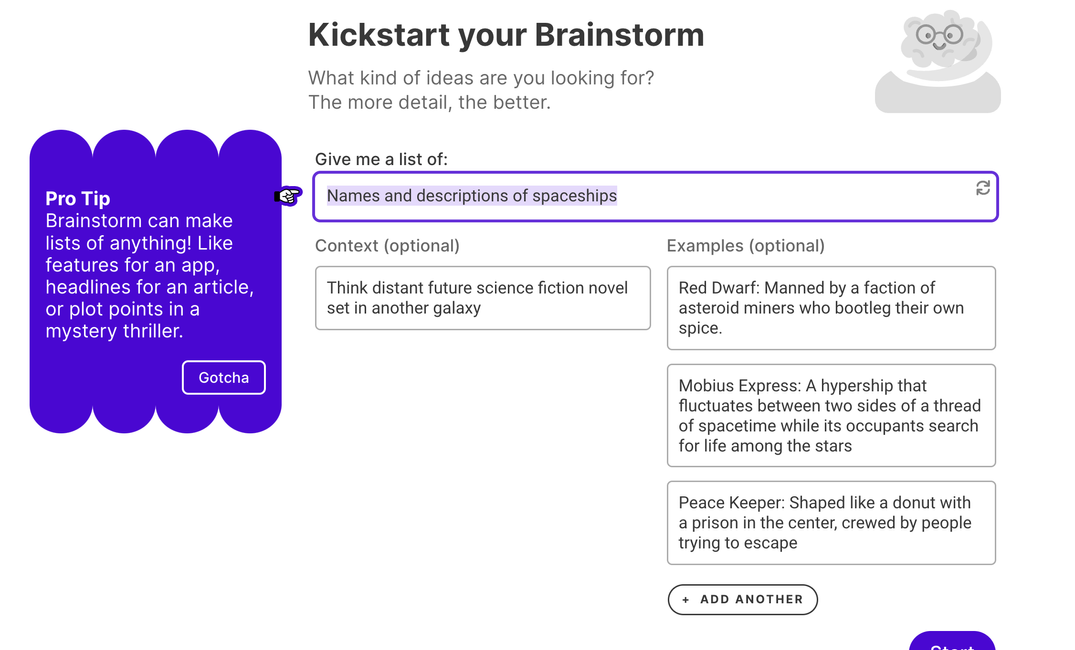
Read the first generation with a red pen. Where does it flatten your idea? Where does it default to cliche? For our gothic, the first pass turned the house into a literal ghost story. We wanted ambiguity, edited the Synopsis manually, asked Brainstorm for five alternative angles on the supernatural element. Picked one. Rewrote.
By the third pass, our Synopsis read like back-cover copy:
When Cass Vermeer is hired to survey Drownmouth, a sinking estate on the Sussex coast, she expects rotting timber and missing deeds. She does not expect Rook Ardley, the heir who wants her gone before she finds what the family has been burying for four generations. As the tides rise and the house begins to make sounds it shouldn't, Cass and Rook must decide whether the thing haunting Drownmouth is grief, debt, or something that has been waiting for both of them.
That synopsis becomes the gravitational center. Every scene gets pulled toward it.
Step 3: Build Characters that hold up across 90,000 words
This is where most AI-assisted novels collapse. The protagonist on page 4 is not the protagonist on page 240. Eyes change color. The dead brother gets resurrected without ceremony. Sudowrite's Characters cards in Story Bible exist to stop that.
For each major character:
- Voice: how they speak. Sentence length. Tells. Words they refuse to use.
- Personality: not adjectives. Specific behaviors under specific pressures.
- Backstory: what they know and what they remember (these are different).
- Want vs. Need: the gap that drives them.
- Arc: who they are at the start, the midpoint, and the end.
Cass's card included a voice note: "Speaks in measurements. Calls things 'load-bearing.' Won't say 'I love you' for the first 70,000 words." Rook's: "Uses the wrong word on purpose. Knows the right one. Thinks naming things gives them power."
Sudowrite reads these cards every time you generate prose. If Cass starts gushing about her feelings in chapter twelve, you forgot to tell the Story Bible she doesn't do that. The cards are her constitution.
One craft tip from Sarah J. Maas territory: write each character's first dialogue line three times before locking the card. The voice should be obvious from the first sentence. If you can't tell Cass and Rook apart with the tags stripped, the cards aren't tight enough.
Step 4: Worldbuilding without the wiki
Sanderson novels live or die on rules. Romantasy lives or dies on atmosphere. Whatever you're writing, Worldbuilding cards in Story Bible should hold the things that will trip you up later.
For Drownmouth we built cards for:
- Settings: the East Wing (locked), the boat house (rotting), the chapel (flooded twice a day)
- Lore: the Ardley debt, four generations deep, who owes what to whom
- Rules: the tide schedule. The house only "breathes" at low tide. This becomes a plot device in act three.
- Factions: the village, the estate, the National Trust assessor who shows up uninvited
- Items: the survey instruments, the iron key, the wedding ring nobody can find
Keep cards short. A 200-word card beats a 2,000-word one because Sudowrite has to use it. Long lore dumps in cards lead to long lore dumps in prose. Bullet what matters. Cut what doesn't.
Step 5: Outline like you mean it
Generate the Outline from your Synopsis and Characters. Sudowrite will propose a chapter-by-chapter breakdown. For a novel of this length, expect 22-30 chapters.
This is where Save the Cat or Three-Act Structure earn their keep. Look at the proposed outline through a beat-sheet lens:
- Is your inciting incident in the first 10%? Cass arriving at Drownmouth, chapter 1, page 8.
- Does the midpoint reverse expectations? Yes. Rook saves Cass from drowning in the chapel. Romance gear shifts.
- Is your "all is lost" moment earned? It needs setup three chapters earlier.
- Does the climax answer the question your opening asked? Open with a woman walking into a tide pool. Close with someone walking back out.
Edit the Outline manually. Rearrange. Cut. Add. Sudowrite's outline is a draft, not a contract. Tell it what's wrong and regenerate weak sections. A good outline saves 40 hours of revision later.
Step 6: Pick your model. This is the most underrated step.
Sudowrite's Prose Modes give you different models tuned for different genres. Most writers ignore the matrix and use one model for everything. Then they wonder why the fantasy battle scene reads like contemporary romance.
For The Salt Below, a gothic fantasy romance with explicit content, the choice is Muse. Sudowrite's fiction-trained model writes like a novelist instead of an assistant. It won't refuse the sex scene. It won't refuse the chapter where Cass finds the bones. It handles atmosphere and slow-burn tension without sliding into corporate-safe prose.
If you're writing something else, the matrix shifts:
- Romance, erotica, horror, thriller: Muse. Voice-forward. Doesn't flinch.
- Epic fantasy, mystery, YA: Claude 3.7 Sonnet. Strong on plot logic and dialogue rhythm.
- Literary fiction, historical, sci-fi: Claude 3 Opus. Sentence-level control. Subtext.
- Adventure, crime: Deepseek-R1. Pace. Forward momentum.
- Non-fiction passages: GPT-4o Mini. Clean, factual, no drama.
You can switch mid-novel. Most writers don't, but if you have a noir flashback chapter inside a fantasy book, swap to Deepseek-R1. Then swap back.
Step 7: Scenes before chapters
Inside each chapter in the Outline, use Sudowrite to expand into Scenes. A scene is one unit of story: one POV, one location, one emotional beat. Most chapters have 2-4 scenes.
For chapter 1 of The Salt Below:
- Scene A: Cass arrives at Drownmouth in a hired car. Wrong key. Wrong welcome.
- Scene B: First survey walk. She finds something she shouldn't.
- Scene C: Rook returns. They meet badly.
Each scene gets a one-paragraph brief: POV, location, what changes, what gets revealed, what stays buried. Sudowrite drafts from briefs better than from nothing. The brief is your contract with the model.
Step 8: Drafting with Write (Auto vs. Guided)
Now the prose. Use Write. You have two modes.
Auto follows your story. It reads previous prose, the Story Bible, and the scene brief, then continues. Use Auto when a scene has momentum and you want to ride it. The model produces 150-300 words per click. Keep what works. Delete what doesn't. Generate again.
Guided takes a direction prompt. "Cass notices the watermark on the wall is fresh, but the tide hasn't been that high in 80 years." Sudowrite writes toward that beat. Use Guided when you need to land a specific moment.
The honest truth: real drafting is 70% Guided and 30% Auto. Auto is faster, but it drifts. Guided is slower, but it keeps your novel from becoming Sudowrite's novel.
Set the Creativity Dial deliberately. For our gothic, 6-7. Higher gave us purple. Lower gave us beige. Find the number that sounds like your book, then leave it there.
Step 9: Rewrite. This is where prose becomes good prose.
First drafts from any process — typed, dictated, or AI-assisted — are first drafts. Sudowrite's Rewrite is where mediocre passages become memorable ones.
Useful Rewrite modes for fiction:
- Show Don't Tell: converts "she was angry" into a clenched jaw and a coffee cup set down too hard.
- More Inner Conflict: pulls subtext to the surface without spelling it out.
- Longer: when a beat deserves more space. Use sparingly.
- Shorter: when a beat is overwritten. Use generously.
- Customize: when you have a specific direction. "Rewrite this paragraph in tighter Abercrombie-style sentences." Or: "Rewrite with more sensory grounding in the salt air."
Combine Rewrite with Describe for sensory layers. Highlight a static paragraph, run Describe, and Sudowrite proposes details across all five senses. Pick one or two. Never all five. Sensory overload kills atmosphere.
Our chapel scene first draft had Cass noticing water. Describe surfaced: the smell of brine and rusted iron, the cold weight of wet boots, the sound of tide pulling stones across the floor. We kept the smell and the sound. Cut the boots. The paragraph went from utility to dread.
Step 10: Tone Shift and Expand for the scenes that need to land
Some scenes carry disproportionate weight. The first kiss. The midpoint reversal. The climax. Treat them differently.
Tone Shift adjusts pacing and mood without rewriting from scratch. For the slow-burn intimate scene in The Salt Below, we ran Tone Shift toward Sensual on Muse. For the chapter where the house "speaks" for the first time, toward Ominous. The story stays the same. The atmosphere reorients.
Expand is for skeletal scenes. The beat is right but the scene is 400 words and needs 1,200. Expand adds connective tissue without padding. Use it on emotional beats that need room to breathe. Don't use it on transitions. Transitions should be tight.
Step 11: Chapter Continuity, the feature that saves your draft
You're 60,000 words in. Cass's eyes were gray in chapter 3. They're blue in chapter 17. The dead twin's name changes spelling. The locked East Wing got unlocked off-screen and nobody knows when.
This is what kills AI-assisted novels in submission. Editors smell it on page one.
Run Chapter Continuity. Sudowrite reads across chapters, compares against your Story Bible, and surfaces contradictions. Most novels turn up 15-40 issues on first pass. Fix them with targeted Rewrites or by hand.
Run it again after revisions. Continuity drift is the silent killer. Make this part of your weekly rhythm, not a one-time pass at the end.
Step 12: Chat as your story-aware reader
When you're stuck, open Chat. It reads your Story Bible, so it answers like a writing partner who's read your whole book. "Is Cass's motivation in chapter 14 consistent with chapter 6?" "What would Rook actually do if he found the letters first?"
Use Chat to pressure-test, not to draft. It's better at catching weak motivation than at writing prose. Exactly what you want from a reader.
Step 13: Publishing prep
You have a manuscript. Now it has to leave the building.
- Final continuity pass: run Chapter Continuity one more time, end to end.
- Style consistency: check POV/Tense settings per chapter. Mixed past and present mid-book is a manuscript-killer.
- Read it on paper or your phone: different screen, different errors. You'll catch what you missed on desktop.
- Beta readers: real humans, not AI. Sudowrite gets you to a clean manuscript. It does not replace someone who tells you the romance doesn't work.
- Line edit: hire a human or run a careful self-edit pass. Sudowrite's Rewrite is great for paragraphs. A line editor sees the whole book.
- Format and publish: KDP, IngramSpark, Draft2Digital, or a small press submission. Sudowrite hands you the manuscript. The rest is your business.
One note on sequels. If The Salt Below becomes book one of a trilogy, the Series Folder shares Story Bible across all three books. Cass's voice carries forward. Drownmouth's rules carry forward. Continuity holds across hundreds of thousands of words. This turns "I wrote a book" into "I'm writing a series."
What the workflow actually feels like
A clean draft of a 90,000-word novel in this workflow takes most writers 8-16 weeks of consistent work. Not 8-16 weeks of typing while Sudowrite writes the book. 8-16 weeks of you steering, deciding, rewriting, and keeping the Story Bible honest. The tool accelerates the parts that should be fast and protects the parts that should be slow.
The writers who get the most out of Sudowrite treat it like a violin, not a jukebox. You still have to know what your book is. Sudowrite helps you write the book you already know how to write, faster, with fewer continuity errors, and with friction in the right places.
If you want to put this workflow against your own project, the free trial gives you enough credits to build a Story Bible, run Braindump through Outline, and draft a few chapters in Muse. Enough to know whether the workflow fits how your brain works. Most fiction writers know by chapter three.