

Table of Contents
By the Sudowrite Team | Published April 2026
You've been there. Your elven diplomat opens her mouth and sounds like she's ordering a latte. Or worse, she sounds like a Renaissance Faire reject who says "prithee" without irony. Fantasy dialogue lives on a knife's edge between too modern and too archaic, and most writers slip off one side or the other about a dozen times per manuscript.
According to the Gotham Ghostwriters 2025 Survey61% of writers rely on AI for support in their creative process. But here's the problem: generic AI tools don't understand the difference between "sounds vaguely old-timey" and "sounds like a person who actually lives in this world." Sudowrite does. The way you build characters includes voice cards for every speaker, and Tone Shift (Fantastical) mode was built for exactly this kind of tonal balancing act.
You'll learn how to find each character's voice register, avoid the two extremes that kill fantasy dialogue, and use AI that actually knows what a grimdark mercenary sounds like versus a YA chosen one.
TL.DR: Fantasy dialogue breaks when every character sounds either too modern or too Shakespearean, and the problem compounds across a full novel. According to the Gotham Ghostwriters 2025 Survey60% of fiction authors using AI say it improves their writing quality. Sudowrite stores voice samples per speaker in your story bible, and its Tone Shift (Fantastical) mode and Rewrite (Customize) let you dial each line to the right register, so your street thief doesn't accidentally sound like your high priestess.
What Is Fantasy Dialogue AI?
Fantasy dialogue AI is the use of fiction-trained artificial intelligence to generate, revise, and maintain character speech patterns that feel period-appropriate to a fantasy setting without becoming unreadable or cliched. Unlike general-purpose AI, which defaults to modern conversational English or stiff formal prose, fantasy dialogue AI understands genre registers and can shift between high court formality, tavern-speak, and everything between.
The old approach was brute force. You'd write the dialogue, then manually scrub every line for anachronisms or over-the-top archaisms. One character sounding wrong could mean rewriting dozens of scenes.
Sudowrite handles this through character voice cards in your story bible, where each speaker gets a dedicated profile storing dialogue style, vocabulary range, and speech patterns. When you use Write or Rewrite, the AI reads those cards alongside your worldbuilding data. The Excellent prose mode, powered by Claude 3.7 Sonnet (which Sudowrite's CX team specifically recommends for fantasy dialogue), handles tonal nuance better than generic models that flatten everything into the same voice.
Why Fantasy Dialogue AI Matters
The Two Ways Fantasy Dialogue Dies
There's a spectrum, and your dialogue is probably stuck at one of the bad ends. On the left: characters who sound like they're texting. "Yo, the Dark Lord's army is, like, right there." On the right: characters drowning in thee-and-thou cosplay. "Hearken, for the fell host doth approach upon the morrow, and we must needs gird our loins forthwith."
The sweet spot is dialogue that feels of the world without making readers decode every sentence. Finding that middle register for even one character takes careful calibration. Doing it for a cast of eight across a 100,000-word novel? That's where writers burn out or, worse, let voices blur together. Tone Shift (Fantastical) nudges prose toward that sweet spot automatically: period-adjacent without becoming a parody.
Readers Can Tell When Voices Blur
Generic AI treats dialogue like any other text generation task. Ask ChatGPT to write a grizzled dwarven blacksmith, and two paragraphs later he's speaking in complete, polished sentences with semicolons.
Character voice cards solve this by anchoring each speaker's patterns. The AI doesn't forget that your blacksmith drops his articles and swears by his forge-god.
Different Subgenres Need Different Registers
You can't write grimdark dialogue the same way you write YA fantasy dialogue. A grimdark mercenary's speech should feel blunt, profane, stripped of ornamentation. A YA protagonist can be irreverent and modern-leaning without breaking immersion. High fantasy court intrigue demands formality with bite underneath.
Here's the same moment across three registers:
| Subgenre | Too Far | Right Register |
|---|---|---|
| High Fantasy | "Forsooth, the shadow doth creep upon our eastern marches!" | "The shadow host has crossed the river, my lord. We fortify the wall tonight, or we don't fortify it at all." |
| Grimdark | "I believe the enemy approaches and we should prepare." | "They're coming. Two thousand, maybe more. If you've got prayers left, now's the time." |
| YA Fantasy | "The ancient prophecy compels us to confront the darkness forthwith." | "So the ancient prophecy says I have to fight the darkness. Cool. Nobody asked if I wanted to be chosen. Nobody ever does." |
Rewrite (Customize) lets you highlight any line and type instructions like "make this grittier" or "more formal but not archaic," adjusting each character's register individually.
How Fantasy Dialogue AI Works in Sudowrite
Sudowrite approaches fantasy dialogue through three connected systems: voice definition, contextual generation, and targeted revision. Each feeds the others, so the AI gets smarter about your characters the more you build out your story bible.
Define Each Voice with Character Cards
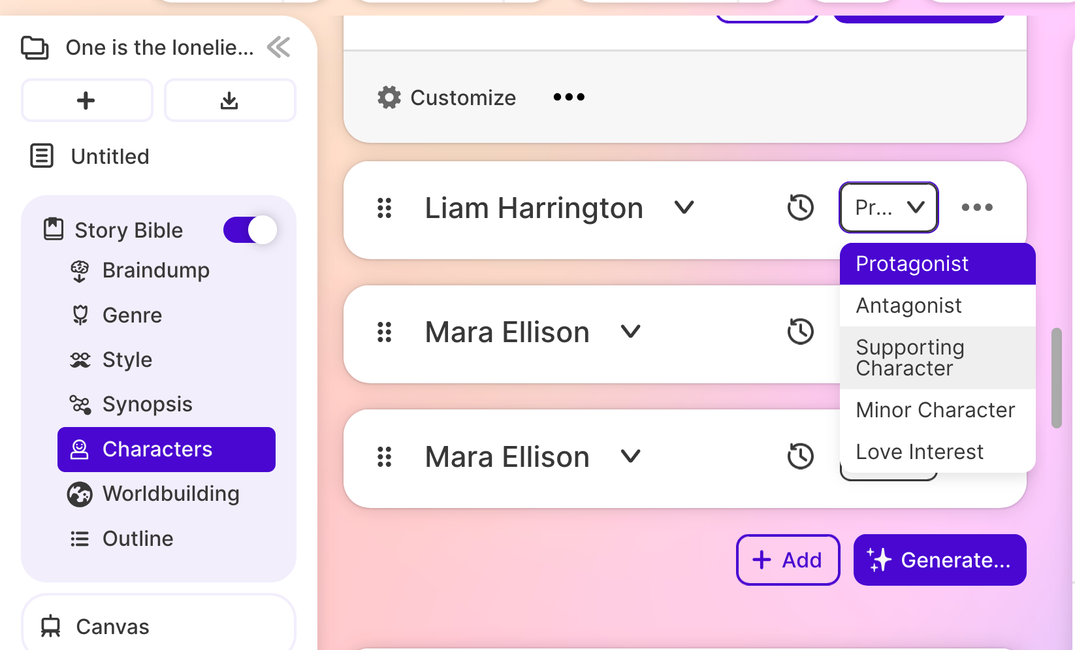
In the Characters section of your story bible, you create a card for each speaker. The card stores personality, background, and dialogue style. You paste in sample lines that capture how this person talks. Short sentences? Formal vocabulary? Regional slang from your invented world? The AI reads these samples when generating or revising dialogue, so your court mage and your stable boy never accidentally swap voices.
Generate Dialogue in the Right Register
When you use Write with Tone Shift set to Fantastical, Sudowrite generates continuations that lean into fantasy-appropriate diction without going full archaic. The Excellent prose mode (Claude 3.7 Sonnet) handles the tonal subtlety particularly well. It can produce dialogue that sounds like it belongs in a secondary world while remaining perfectly readable. You get multiple options and pick the one that fits.
Revise Line by Line with Rewrite
Already drafted a scene but the dialogue feels off? Highlight the lines, open Rewrite, and choose Customize. Type "make this sound more like a street-tough who grew up in the docks" or "add formal restraint, this character never says what she means directly." The AI rewrites the selection while preserving your story context. For passages under 600 words, Rewrite also reads your story bible synopsis, keeping revisions aligned with your world's rules.
Getting Started: Step-by-Step
Step 1: Build Your Character Voice Cards
Open your story bible and go to Characters. For each major speaker, fill in the dialogue style field with 3-5 sample lines that capture their rhythm. A tavern keeper might get: short declarative sentences, dropped pronouns, references to coin and drink. A scholar might get: longer clauses, precise vocabulary, tendency to qualify statements. The more specific your samples, the more distinct each voice becomes.
Pro tip: Paste actual dialogue you've already written for that character. The AI mirrors patterns better from examples than from descriptions.
Step 2: Set Your Tone and Prose Mode
In your Write settings, set Tone Shift to Fantastical. Switch your prose mode to Excellent (Claude 3.7 Sonnet). Sudowrite's support team recommends it specifically for fantasy dialogue because it handles register shifts without flattening voice. Set your Creativity slider to the middle or slightly above for dialogue scenes. Too low produces safe, generic lines.
Step 3: Draft Dialogue Scenes with Write
Write at least 200 words of scene context, then leave a sentence trailing where dialogue should begin. Use Write (Guided mode) to generate options. Pick the one closest to the character's voice. Because the AI reads your character cards plus up to 20,000 words of preceding text, it already knows the tone of the conversation.
"The biggest mistake I see new authors make is using AI to skip the creative work instead of enhance it. Sudowrite works best when you bring the vision and let it help with execution."
— Liese Sherwood-Fabre, Writing Instructor
Step 4: Polish with Rewrite (Customize)
Highlight any dialogue that feels too modern or too stiff. Open Rewrite, select Customize, and give a plain-language instruction: "this character speaks in clipped military shorthand" or "more poetic, but not flowery." Cycle through the options. Sudowrite generates multiple alternatives so you can pick the line that nails the voice.
Pro tip: Run Rewrite on one character's lines at a time rather than the whole scene. Different speakers need different instructions.
Best Practices
Start with Voice Samples, Not Descriptions
Telling the AI "this character sounds gruff" gives it almost nothing to work with. Pasting three lines of actual dialogue ("Coin first. Questions after. And don't sit in my chair.") gives it a pattern to mirror. Descriptions are vague. Samples are data. Fill your character cards with examples, and the AI output jumps in quality immediately.
Use Fantastical Tone Shift for First Drafts, Customize for Revisions
Tone Shift (Fantastical) is a broad brush. It nudges everything toward fantasy register, which is perfect for getting a first draft down fast. But individual characters need individual tuning. Save Rewrite (Customize) for your second pass, when you're dialing each speaker's lines to their specific voice. Two tools, two stages.
Let the Creativity Slider Match the Character
A restrained diplomat should come from a lower Creativity setting: predictable vocabulary, careful phrasing. A chaotic trickster god? Crank it up. The Creativity slider controls how adventurous the AI gets with word choices, and different characters genuinely benefit from different settings.
Common Mistakes
Giving Every Character the Same Voice Card
If all your voice cards say "fantasy-appropriate dialogue," you'll get fantasy-appropriate mush. Every speaker needs distinct samples. Your young apprentice doesn't speak like your ancient dragon. Spend ten minutes per character building unique cards and you'll save hours of revision.
Over-Correcting Toward Archaism
Writers who worry about sounding "too modern" often swing too far the other direction. If your dialogue requires a glossary, you've lost the reader. Period-appropriate doesn't mean period-accurate. Use Rewrite (Customize) to pull lines back from the archaic edge. Tell the AI "simpler phrasing, keep the formality."
Ignoring Dialogue During Worldbuilding Setup
Most writers fill in their story bible's worldbuilding section with geography, magic systems, and political structures. They skip the part where they define how people in this world actually talk. Speech patterns, common oaths, taboo words: these belong in your worldbuilding notes because the AI reads them during generation.
FAQ
What makes fantasy dialogue different from regular dialogue for AI?
Fantasy dialogue requires register awareness that general AI tools lack. Characters in secondary worlds can't reference modern idioms or technology, but they also shouldn't sound like they swallowed a thesaurus from 1492. Fiction-trained AI like Sudowrite's Muse and Excellent modes handle this tonal range because they're optimized for genre conventions, not corporate communication.
Which Sudowrite prose mode works best for fantasy dialogue?
The Excellent mode, powered by Claude 3.7 Sonnet, is recommended by Sudowrite's CX team specifically for fantasy dialogue. It handles register shifts and tonal nuance better than general-purpose models. Muse 1.5 also performs well for naturalistic fantasy prose if you prefer Sudowrite's proprietary model.
Can AI keep character voices consistent across a full novel?
Yes, if you give it the right anchors. Sudowrite stores voice cards that persist across your entire project. Combined with Chapter Continuity, which reads up to 20,000 words of context across 25 linked documents, the AI maintains voice patterns far longer than a tool with no memory.
How do I stop AI-generated dialogue from sounding generic?
Feed it specific voice samples, not vague descriptions. Paste 3-5 lines of dialogue per character into their voice card. Use Rewrite (Customize) with precise instructions like "shorter sentences, no contractions, refers to everyone by title." Specificity is the difference between generic output and prose that sounds like your characters.
Does Tone Shift (Fantastical) work for grimdark or YA fantasy too?
Fantastical sets a broad fantasy register that you then refine per subgenre. For grimdark, follow up with Rewrite (Customize) using instructions like "grittier, less poetic." For YA, try "more casual, modern-leaning but no real-world references." The tone shift gets you in the neighborhood. Customize gets you to the exact address.
Can I use Sudowrite for dialogue in a fantasy series with many books?
Sudowrite's Series Folder shares story bible data, including character voice cards, across multiple books. Your characters' speech patterns carry forward even as the story evolves. Few AI tools maintain this kind of long-term narrative memory across installments.
Key Takeaways
Fantasy dialogue doesn't fail because writers lack vocabulary. It fails because they lack a system for calibrating voice across characters, scenes, and entire novels. The right AI tool isn't a replacement for your ear. It's a second pass that catches what you miss at 2 AM.
- Build distinct voice cards for each speaker in your story bible. Samples beat descriptions every time.
- Use Tone Shift (Fantastical) for drafting and Rewrite (Customize) for per-character tuning.
- Match your prose mode to the task. Excellent (Claude 3.7 Sonnet) handles fantasy register shifts better than generic AI.
- Define how your world talks in your story bible's worldbuilding section, not just what it looks like.
Your characters deserve voices that sound like they belong in the world you built. Not in a Shakespeare play. Not in a group chat.